


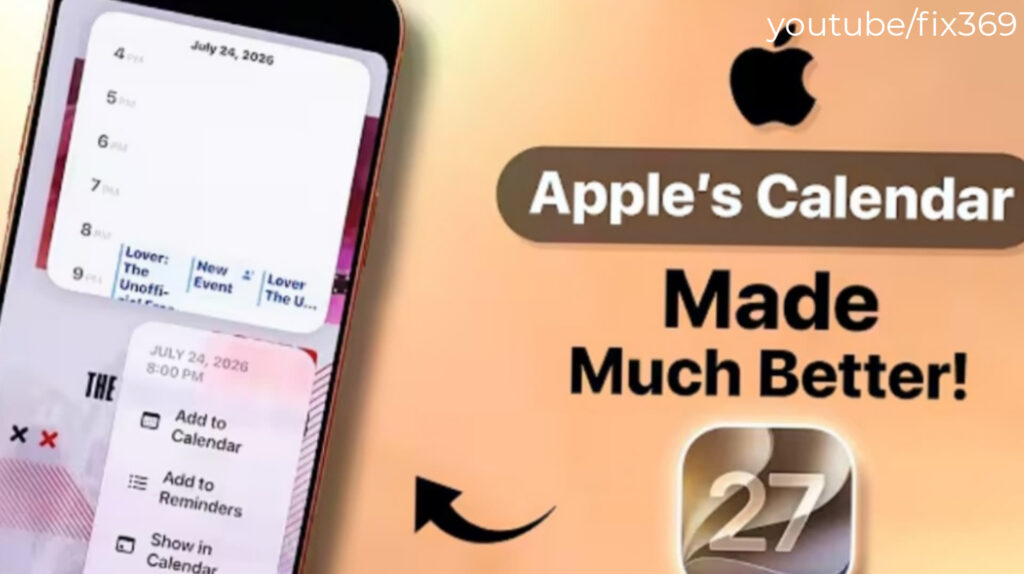
Apple is expected to make everyday planning much easier with the new Calendar and Reminders updates in iOS 27. The latest version introduces AI-powered tools, deeper Siri integration, and a redesigned interface that reduces the time needed to organize schedules and manage tasks.
These updates are designed for both casual users and professionals who rely on Apple’s productivity apps throughout the day.
Calendar App Makes Scheduling Faster

(image credtit: youtube/fix369)
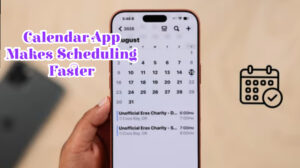
The Calendar app receives several improvements that simplify creating and managing events.
One of the biggest additions is natural language event creation. Instead of manually selecting dates and times, users can simply type or say something like “Lunch with Sarah next Friday at noon,” and the app automatically creates the event with the correct details.
Apple has also redesigned the event editing experience, making it easier to adjust dates, times, locations, and recurring schedules without navigating through multiple menus.
Another standout feature is Visual Intelligence, which can recognize information from documents, invitations, images, or schedules and automatically generate calendar events. This could save users significant time when planning conferences, travel, or sports schedules.
A new extra-large Calendar widget also gives users a full-screen overview of upcoming appointments directly from the Home Screen.
Calendar App Features in iOS 27
| Feature | iOS 27 Improvement | Benefit |
|---|---|---|
| Natural Language Input | Create events using everyday language | Faster scheduling |
| Event Editing | Simpler editing interface | Easier management |
| Visual Intelligence | Creates events from images and documents | Less manual work |
| Recurring Events | Smarter recurring event controls | Better organization |
| Home Screen Widget | New extra-large widget | Improved visibility |
Reminders App Becomes More Intelligent
Apple is also giving the Reminders app one of its biggest updates in recent years.
Like the Calendar app, Reminders now supports natural language input. Users can type or speak reminders naturally, and the app automatically understands dates, times, and even location-based reminders.
The interface has also been cleaned up by reducing on-screen clutter. Frequently used options like flags, images, and notes are now grouped inside a dedicated details screen, making navigation much simpler.
Another useful enhancement is the upgraded Grocery Lists feature. Shopping items are automatically sorted into categories such as produce, dairy, bakery, frozen foods, and household products, making shopping trips more organized.
Apple has also expanded Shortcuts integration, allowing users to automate reminder lists, sections, and groups while pulling relevant information directly from what’s displayed on the screen.
ALSO READ:
watchOS 27 Beta 2 Released: New Changes, Fixes, and Known Issues
Reminders App Features in iOS 27
| Feature | New in iOS 27 | Why It Matters |
|---|---|---|
| Natural Language Reminders | Yes | Faster task creation |
| Cleaner Interface | Redesigned layout | Easier navigation |
| Grocery Lists | Automatic item categorization | Better shopping organization |
| Shortcuts Automation | Expanded actions | More productivity |
| Location-Based Reminders | Improved | Smarter task management |
Siri Gets Smarter Across Calendar and Reminders
(image credit: youtubr/fix369)
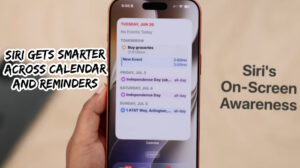
Siri also receives meaningful upgrades in iOS 27, making voice interactions much more useful.
Users can now create appointments or reminders using natural conversations without worrying about exact wording. Siri understands requests like “Schedule a meeting with John next Tuesday at 2 PM” or “Remind me to pay my electricity bill on the first of every month.”
Recurring reminders and calendar events are also easier to manage through Siri, reducing the number of manual steps required.
One of the biggest improvements is cross-app integration. Siri can now gather information from apps like Mail and Messages to automatically create reminders or calendar events based on important conversations or emails.
In addition, a new unified search allows Siri to search both Calendar and Reminders simultaneously, helping users quickly find appointments, deadlines, and tasks from one place.
iOS 27 Calendar vs iOS 26
| Feature | iOS 26 | iOS 27 |
|---|---|---|
| Natural Language Scheduling | Limited | Improved |
| Visual Intelligence | No | Yes |
| Siri Integration | Basic | Advanced |
| Large Calendar Widget | No | Yes |
| Grocery List Organization | Basic | Automatic |
| Cross-App Event Creation | Limited | Expanded |
final thoughts
The Calendar and Reminders updates in iOS 27 represent one of Apple’s most meaningful productivity improvements in recent years. Features such as natural language scheduling, AI-powered event creation, enhanced Siri integration, and smarter reminders make everyday organization much more efficient.
Although Apple has yet to release the final version of iOS 27, the announced features suggest a strong focus on simplifying task management without adding unnecessary complexity. For users who rely on Apple’s productivity apps every day, these enhancements could make scheduling and organization noticeably easier.
FAQ Section
1. What’s new in the iOS 27 Calendar app?
The Calendar app adds natural language event creation, smarter recurring events, Visual Intelligence, improved editing tools, and a new full-screen widget.
2. How has the Reminders app changed?
Reminders now supports natural language input, a cleaner interface, smarter grocery lists, improved Shortcuts automation, and better location-based reminders.
3. Can Siri create reminders and calendar events automatically?
Yes. Siri can understand conversational requests and create events or reminders with dates, times, recurring schedules, and contextual information.
4. What is Visual Intelligence in iOS 27?
Visual Intelligence can recognize information from images and documents, then automatically create calendar events based on that information.