



Apple preparing one of the most feature-packed Apple Watch updates in recent years with watchOS 27. The software focuses on making everyday interactions faster, improving health tracking capabilities, and introducing smarter AI-powered experiences across the Apple ecosystem.ppe
While many users will benefit from these additions, some older Apple Watch models may not support every feature due to new hardware requirements.
Redesigned App Grid Makes Navigation Easier
One of the first changes users will notice is the redesigned app grid. Apple has updated the layout with larger icons and smarter app suggestions based on usage habits.
The refreshed interface helps users find frequently used apps faster while reducing the need for excessive scrolling. The experience feels cleaner and more intuitive, especially for users with many apps installed.
New Gesture Controls Enable Hands-Free Use
watchOS 27 introduces a new finger-tap gesture that allows users to interact with their Apple Watch without touching the display directly.
This feature can be useful during workouts, cooking sessions, or situations where using the touchscreen is inconvenient. Users can manage notifications, access widgets, and perform certain actions with simple hand movements.
Smart Stack Widgets Become More Intelligent
Apple has upgraded Smart Stack with greater contextual awareness. Widgets can now provide more relevant suggestions based on your location, schedule, and daily activities.
For example, navigation shortcuts may appear before a trip, while calendar reminders can surface just before meetings. These improvements help deliver important information exactly when it’s needed.
Find My Gets a More Visual Design

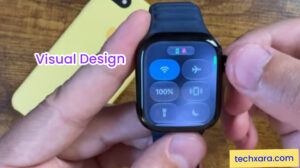
The Find My app receives a major redesign focused on maps. The updated interface makes it easier to locate devices, friends, and family members through a clearer visual layout.
The changes improve usability while helping users quickly access location information without navigating through multiple menus.
Calling Features Become More Helpful
watchOS 27 adds contextual information during phone calls. Relevant details such as booking confirmations, calendar entries, and contact notes can appear while speaking with someone.
This feature aims to reduce interruptions by keeping useful information available directly on the watch screen.
Liquid Glass Technology Improves Display Visibility
Apple is reportedly introducing new display enhancements through what is being described as a Liquid Glass visual system.
The update improves contrast and readability while reducing glare in different lighting environments. Whether indoors or outdoors, content should remain easier to view throughout the day.
Faster Music Controls and Playback
Music playback receives several performance optimizations in
Tracks start faster, playlists switch more smoothly, and overall responsiveness has been improved.
These changes create a better experience for users who frequently listen to music while exercising or commuting.
Improved Health and Fitness Tracking


Health tracking remains a major focus of watchOS 27.
The update reportedly improves:
| Feature | Improvement |
|---|---|
| Step Tracking | More accurate syncing between apps |
| Heart Monitoring | Better data reliability |
| Health Data Sync | Improved consistency |
| Menopause Tracking | New support tools |
| Perimenopause Tracking | Expanded health insights |
These additions continue Apple’s effort to make the Apple Watch a more comprehensive wellness companion.
Smarter Siri Arrives on Apple Watch
Siri is receiving some of its biggest improvements yet.
The assistant can now better understand context, provide smarter recommendations, and perform app-related actions based on what users are doing.
For example, Siri may suggest opening a specific app during a workout or provide relevant information tied to your schedule. A dedicated Siri experience across Apple devices also helps create a more connected ecosystem.
Battery Optimization Suggestions
Apple is introducing proactive battery-saving recommendations designed to help users extend battery life.
The system can suggest changes such as adjusting display brightness or disabling certain features when they are not needed. These personalized tips could help reduce charging frequency and improve daily battery performance.
ALSO READ;
Samsung Galaxy Z Rollable Leak Reveals a New Direction Beyond Foldables
5 Best Cheap Android Tablet Alternatives to iPad in 2026
watchOS 27 brings a collection of meaningful upgrades that improve nearly every aspect of the Apple Watch experience. From smarter Siri interactions and health tracking enhancements to improved navigation and battery management, the update aims to make the smartwatch more capable and intuitive.
For users with compatible devices, watchOS 27 could be one of the most useful Apple Watch updates in recent years.
FAQ Section
1. What are the biggest new features in watchOS 27?
The main additions include smarter Siri functionality, gesture controls, redesigned navigation, enhanced health tracking, improved Smart Stack widgets, and battery optimization tools.
2. Will all Apple Watch models support watchOS 27?
No. Some older Apple Watch models may not receive the update or may miss certain advanced features due to hardware limitations.
3. Does watchOS 27 improve battery life?
Yes. Apple is introducing battery optimization suggestions that can help users extend battery performance through personalized recommendations.
4. What health features are new in watchOS 27?
New health tools include menopause and perimenopause tracking alongside improvements to fitness and activity data synchronization.