


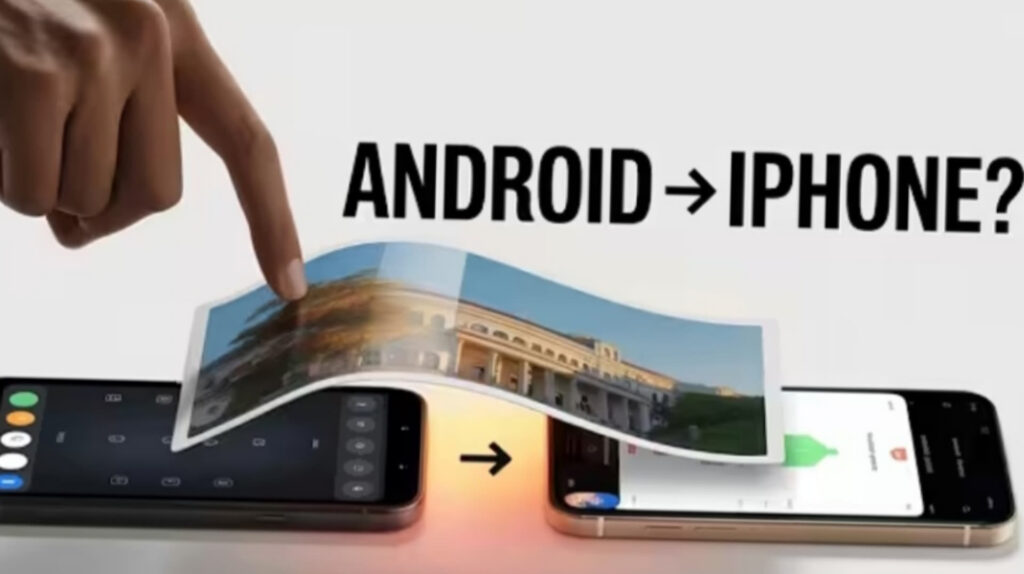
Now how Samsung Galaxy S26 Quick Share to iPhone? Sharing photos between Android and iPhone has always been frustrating. Many users had to rely on apps, messaging tools, or cloud storage just to send a simple image.
Now, Samsung Galaxy S26 finally makes this process much easier.
With the latest Quick Share update, now Samsung Galaxy S26 Quick Share to iPhone. so Galaxy S26 users can now send photos and files directly to iPhones, iPads, Macs, and other supported Apple devices. For users who often switch between Android and Apple devices, this removes one of the biggest daily annoyances.
This guide explains how to set it up, how fast it works, and what limits still exist.

What Phones Support This Feature?
Right now, this feature is available on:
- Samsung Galaxy S26
- Samsung Galaxy S26+
- Samsung Galaxy S26 Ultra
Samsung has also indicated that more Galaxy phones may receive the feature later through updates, which is great news for older flagship users.
This wider rollout matters because Samsung users make up a huge part of the Android market. Once more Galaxy devices receive the update, sharing files with iPhone users will become much more common.
Software Requirements You Need First
Before trying the feature, make sure your phone is fully updated.
Required Software
You need:
- Samsung One UI 8.5
- Update build ending in AZCF
- Google Play Services 26.11.xx or newer
How to Check
Go to:
- Settings
- Apps
- Google Play Services
- Check the version
When Quick Share opens after the update, you may see a message saying that your device can now share with iPhones, iPads, and Macs.
That means the feature is active.
How to Share Photos From Galaxy S26 to iPhone
The process is very easy and beginner-friendly.
Step-by-Step
- Open the photo or file
- Tap Share
- Choose Quick Share
- Make sure the iPhone is set to Everyone for 10 minutes
- Select the detected iPhone
- Accept the transfer on the iPhone
The transfer usually starts within seconds.
A good real-life example is sending vacation photos to a friend who uses an iPhone. Instead of using WhatsApp and losing image quality, this method keeps the file much cleaner.
Is It as Fast as AirDrop?
Short answer: almost, but not exactly.
In testing, a 3.3MB photo took under 2 seconds between two iPhones, while the same file took around 5 to 10 seconds from iPhone to Galaxy S26.
That is still very fast for everyday use.
For most users, the small speed difference will not matter unless they are transferring many large videos.
ALSO READ; Should You Wait for the iPhone 17? Here’s What You Need to Know
iPhone 17 Pro vs iPhone 15 Pro: Should You Upgrade or Save Your Money?
Important Limitations You Should Know
Even though this feature is excellent, it still has a few limits.
1) Slower Than Native AirDrop
Apple devices still transfer faster when both devices are iPhones.
2) No Tap-to-Transfer With iPhone
One missing convenience is the tap both phones together feature.
iPhone users already enjoy this smooth experience, but Samsung-to-iPhone sharing currently does not support it.
That said, Android-to-Android devices can still use the tapping trick in some cases through Quick Share.
Why This Update Is a Big Deal
This is more important than it may first seem.
For years, file sharing between Android and iPhone was one of the biggest ecosystem problems. Users often had to depend on:
- chat apps
- cloud drives
- third-party sharing apps
Now Samsung has made the process feel almost native.
Because Samsung dominates the Android market, this update could finally make cross-platform photo sharing normal and effortless.
For students, families, office teams, and friend groups using mixed devices, this solves a very common problem.
Should You Sideload It on Older Samsung Phones?
Technically, some reports suggest sideloading certain app updates may unlock this feature on older Galaxy phones.
But honestly, it is better not to do that.
Sideloading can:
- create software bugs
- break Quick Share
- cause compatibility issues
- stop future official updates from working smoothly
The safer option is to wait for Samsung’s official rollout.
This ensures better performance and proper testing for your device.
Final Thoughts
Samsung Galaxy S26’s new Quick Share compatibility with iPhone is one of the most useful smartphone updates in recent years.
It removes a long-standing barrier between Android and Apple users and makes simple tasks like sharing photos feel effortless.
While it is still a little slower than native AirDrop and lacks the tap-to-transfer iPhone experience, it is still a major step forward.
For everyday users, this means less hassle, fewer apps, and faster sharing.
FAQs
Can Galaxy S26 send photos directly to iPhone?
Yes, Galaxy S26 can now send photos directly to iPhone through the latest Quick Share update.
Does this work on older Samsung phones?
Currently it mainly supports the Galaxy S26 lineup, though more devices may get the update later.
Is it faster than AirDrop?
It is fast, but still slightly slower than iPhone-to-iPhone AirDrop.
Do both devices need settings changed?
Yes, both devices should be discoverable and set to Everyone temporarily.
Is sideloading safe?
It is possible, but not recommended because it may cause bugs or compatibility problems